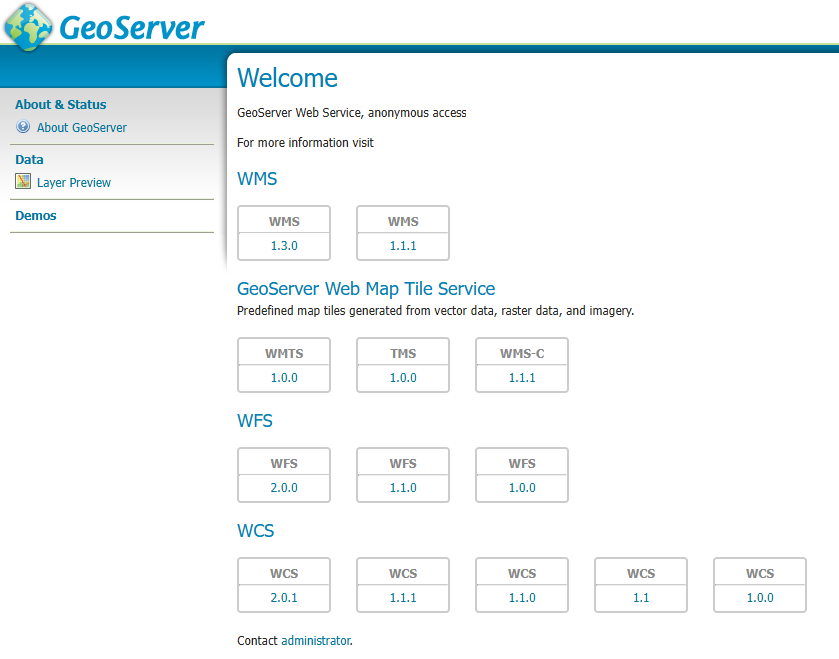
GeoServer offers several ways to publish geographical information. Acronyms such as WMS, WFS and WMTS. Each describes the service delivered: a map image, reusable map tiles, or the geographical data itself.
| Acronym | Expanded name | Typical use |
|---|---|---|
| WMS | Web Map Service | Delivers a map image styled by the server. Useful for displaying planning boundaries, conservation areas and other thematic maps. |
| WMTS | Web Map Tile Service | Delivers map tiles at predefined scales. Useful for fast aerial photography and background mapping. |
| TMS | Tile Map Service | Another convention for delivering map tiles, used where the viewer supports its tile-addressing system. |
| WMS-C | Web Map Service — Cached, commonly called Cached WMS | A convention for requesting and reusing tiled WMS images. |
| WFS | Web Feature Service | Delivers individual points, lines and polygons with their attributes. Useful for selection, filtering, analysis and styling within the viewer. |
| WCS | Web Coverage Service | Delivers georeferenced coverage data, typically rasters. Useful for obtaining elevation values or imagery for analysis. |
GeoServer provides the core map, feature and coverage services, while its integrated GeoWebCache supplies cached tile services.
WFS-T
Geoserver does not specifically identify this category within the web administrator but it is important nonetheless.
WFS-T means Web Feature Service — Transactional. It adds the ability to create, update and delete geographical features through WFS. For example, a web application could allow an officer to adjust a planning application boundary and save the revised polygon into a PostGIS database through GeoServer.
WFS-T does not appear as a separate service category in GeoServer. Instead, open Services → WFS and look for Service Level:
- Basic allows reading and querying.
- Transactional also allows creating, updating and deleting.
- Complete adds feature-locking operations, which supporting clients can use to coordinate edits.
What is needed to edit successfully?
Enabling WFS-T is only one part of the setup. Editing must be supported and permitted throughout the connection:
- The web user interface must allow editing. It needs tools for selecting features, changing boundaries and saving those changes using WFS-T.
- GeoServer must authorise the web user to edit the relevant layer. Access to view a layer does not necessarily include permission to change it.
- The database account used for the connection must have the necessary privileges. Depending on the intended operations, these include permission to read, insert, update or delete records, along with any required schema and sequence permissions.
In a typical GeoServer setup, the database account is the account configured in GeoServer’s PostGIS data store. It may be shared by several web users, rather than each web user having an individual PostgreSQL login. GeoServer controls which web users can edit, while the database privileges determine what its connection account can do.
With these elements configured, WFS-T provides a bridge between a browser-based map editor and a central spatial database, allowing users to maintain live boundaries while PostGIS remains the authoritative data source.